This article is not available in Indonesian, view it in English
If you encounter an "Access blocked" or authorization error when logging in using Google, this is usually due to restrictions related to the company domain or Google authentication settings.
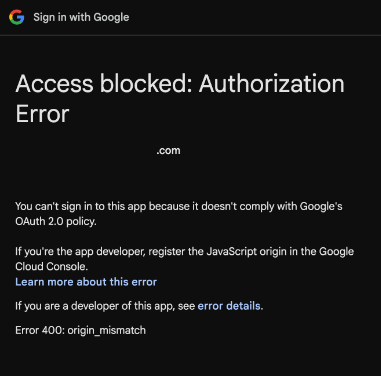
Please log in using the following link instead of your company's domain: https://app.hreasilygroup.com/
If the issue persists:
- Ensure you are logged into the correct Google account (especially if you have multiple accounts)
- Try using an incognito/private browser window
- Clear your browser cache and cookies, then retry
- Switch to a different browser (e.g. Chrome if you are using Safari/Edge)
Was this article helpful?
That’s Great!
Thank you for your feedback
Sorry! We couldn't be helpful
Thank you for your feedback
Feedback sent
We appreciate your effort and will try to fix the article